


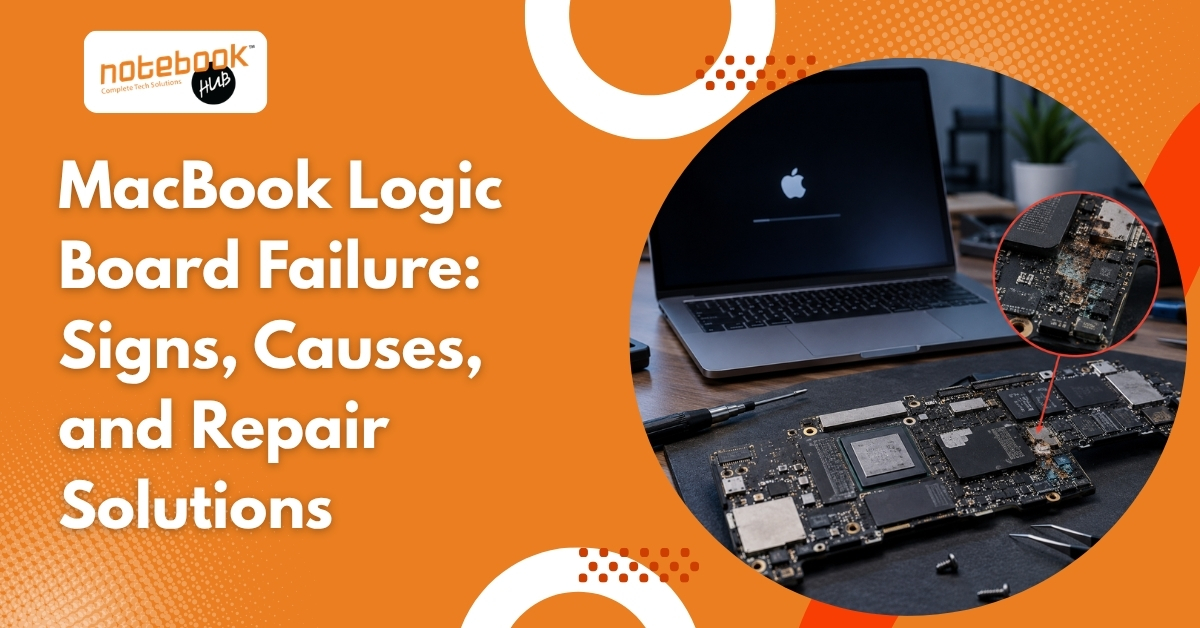
A MacBook that suddenly refuses to turn on, stops charging properly, or shuts down without warning can be frustrating, especially when there are no obvious signs of physical damage. In many cases, users assume the battery, charger, or display is responsible. While those components can certainly fail, the real issue often lies much deeper inside the device.
The logic board is one of the most important parts of a MacBook. It acts as the central hub that connects and controls the processor, memory, storage, charging system, display, ports, WiFi, and Bluetooth. When a fault develops on the logic board, multiple functions can stop working at the same time, making the problem difficult to identify without proper diagnosis.
Understanding the warning signs of logic board failure can help prevent further damage, avoid unnecessary part replacements, and improve the chances of a successful repair.
What Is a MacBook Logic Board?
The logic board is Apple’s version of a motherboard. It contains the essential circuits and controllers that allow all major hardware components to communicate with one another. Unlike many traditional laptops, modern MacBooks integrate several critical functions directly onto the logic board, making it one of the most complex and important components inside the device.
Because so many systems depend on the logic board, even a small failure can affect charging, startup, display output, connectivity, and overall performance.
Common Signs of MacBook Logic Board Failure
Logic board issues rarely appear as a single obvious problem. Instead, users often experience a combination of symptoms that may gradually worsen over time.
| Symptom | Possible Logic Board Connection |
| MacBook won’t turn on | Power management circuit failure |
| Charging issues | Damaged charging circuit |
| Random shutdowns | Unstable power delivery |
| Black screen | Display controller issue |
| WiFi or Bluetooth problems | Faulty onboard controller |
| Overheating | Failing component drawing excess power |
| USB ports not working | I/O controller failure |
MacBook Won’t Turn On
One of the most common signs of logic board failure is a MacBook that shows no response when the power button is pressed. The screen remains black, the keyboard does not light up, and there are no startup indications. While a faulty charger or battery can sometimes cause similar symptoms, a logic board issue becomes more likely when known working accessories fail to solve the problem.
Random Shutdowns and Restarts
If a MacBook suddenly shuts down during normal use or restarts without warning, the issue may be related to power management circuits on the logic board. These circuits regulate how power is distributed throughout the system, and when they begin to fail, unexpected shutdowns can occur even when the battery is sufficiently charged.
Charging Problems
Many users immediately blame the battery when charging issues arise. However, charging circuits are located on the logic board itself. A MacBook that charges intermittently, stops charging altogether, or displays incorrect battery percentages may actually be experiencing a board-level fault rather than a battery problem.
Black Screen or Display Issues
A black screen does not always mean the display has failed. In some cases, the MacBook powers on normally, but a damaged display controller prevents the screen from functioning correctly. Screen flickering, graphical glitches, colored lines, or distorted visuals can also indicate a logic board issue.
Multiple Features Stop Working Together
If the keyboard, trackpad, USB ports, WiFi, Bluetooth, or camera suddenly stop functioning around the same time, the logic board should be investigated. When several unrelated features fail simultaneously, the issue often originates from a shared controller or circuit on the board rather than individual components.
Excessive Heating
A failing component on the logic board can draw abnormal amounts of power, generating excessive heat even during light tasks such as web browsing or video streaming. If a MacBook feels unusually hot without running demanding applications, a hardware inspection may be necessary.
What Causes MacBook Logic Board Failure?
Logic board failures can happen suddenly or develop gradually over time. Some causes are preventable, while others are simply the result of aging hardware.
The most common causes include:
- Liquid spills and moisture exposure
• Overheating and poor ventilation
• Faulty chargers or power surges
• Physical drops and impact damage
• Long-term component wear
Liquid Damage
Water, coffee, tea, and other liquids remain one of the leading causes of logic board failure. Even if the MacBook appears to work normally after a spill, internal corrosion can continue spreading and damage sensitive components over time.
Overheating
Excessive heat places stress on electronic components and solder connections. Dust accumulation, blocked air vents, and years of heavy usage can gradually contribute to thermal damage.
Power Surges and Faulty Chargers
Low-quality chargers and unstable power sources can damage charging circuits and power management components on the logic board. Repeated voltage fluctuations may eventually lead to startup or charging issues.
Physical Impact
Accidental drops and pressure damage can affect internal circuits even when the outer casing appears relatively unharmed. Microscopic damage to solder joints can create intermittent faults that become more noticeable over time.
Aging Components
Like all electronics, logic board components naturally degrade with age. Years of heating and cooling cycles can weaken circuits until they eventually fail.
How Professionals Diagnose Logic Board Issues
One of the biggest mistakes MacBook owners make is assuming the cause of a problem without proper testing. Logic board symptoms often overlap with battery, charger, display, and software-related issues.
Professional diagnosis typically involves a combination of visual inspection, power rail testing, charging circuit analysis, thermal testing, and component-level inspection. These procedures help technicians identify the exact source of the fault rather than replacing parts through trial and error.
This is particularly important because a MacBook that appears completely dead may actually have a single failed component that can be repaired without replacing the entire logic board.
Can a MacBook Logic Board Be Repaired?
The good news is that logic board failure does not always require a full replacement. Many faults occur at the component level, allowing technicians to replace damaged capacitors, charging circuits, controllers, and other individual components while preserving the original board.
Component-level repairs are often more cost-effective than replacing the entire logic board. However, repair feasibility depends on the severity of the damage and the specific components affected.
Logic Board Repair vs Replacement
Whether a logic board should be repaired or replaced depends on the extent of the damage.
| Factor | Repair | Replacement |
| Cost | Usually lower | Usually higher |
| Suitable for | Minor to moderate damage | Severe damage |
| Turnaround time | Often faster | Depends on part availability |
| Data preservation | Generally better | Varies by situation |
| Environmental impact | Reuses existing hardware | Creates more electronic waste |
Repair is often suitable when the damage is localized, charging circuits have failed, or corrosion is limited. Replacement may become necessary when multiple sections of the board are damaged or when critical chips can no longer be repaired.
Can Data Be Recovered from a Failed Logic Board?
One of the biggest concerns during logic board failure is data loss. Fortunately, a failed logic board does not automatically mean files are gone forever.
In many cases, important documents, photos, and business files can still be recovered if the storage system remains unaffected. The chances of successful recovery depend on the MacBook model and the nature of the damage. Seeking professional assistance early can improve the likelihood of recovering valuable data.
What Should You Do If You Suspect a Logic Board Problem?
If a MacBook is showing signs of logic board failure, taking the right steps early can prevent additional damage.
- Stop using the MacBook if liquid damage has occurred
• Back up important files immediately if possible
• Avoid repeatedly forcing the device to power on
• Disconnect unnecessary accessories and peripherals
• Seek professional diagnosis before replacing expensive parts
Early diagnosis often prevents minor faults from developing into more extensive and costly repairs.
Need Professional MacBook Repair Assistance?
While some logic board issues can be repaired with minimal component replacement, others may become more serious if left untreated. Getting the device diagnosed early can help prevent additional damage and improve the chances of a successful repair.
If a MacBook is experiencing charging issues, random shutdowns, display problems, liquid damage, or refuses to turn on, professional diagnostics can help identify the root cause and determine the most effective solution.
For expert MacBook Repair Services in Pune and reliable MacBook Repair Services in Hinjewadi, Notebook Hub provides diagnosis, component-level repairs, and support for a wide range of MacBook issues. From logic board failures to battery, display, and charging problems, experienced technicians can help restore the device and protect valuable data.
Contact Notebook Hub today to schedule a MacBook diagnosis and repair consultation.
Final Thoughts
A failing logic board can affect almost every major function of a MacBook, from charging and startup to display performance and connectivity. Because the symptoms often resemble battery, charger, or software problems, proper diagnosis is essential before replacing expensive parts.
Whether the issue involves random shutdowns, charging failures, display problems, overheating, or a MacBook that refuses to turn on, identifying the root cause early can prevent further damage and improve the chances of a successful repair. In many situations, component-level repairs can restore functionality without the need for a complete logic board replacement, helping extend the life of the device and protect valuable data.
Disclaimer: The information provided in this article is for general educational and informational purposes only. MacBook logic board issues can vary depending on the model, age of the device, and extent of the damage. Symptoms described in this article may also be caused by other hardware or software-related issues. A professional diagnosis is recommended before attempting any repairs or replacing components. Notebook Hub is not responsible for any damage resulting from self-repair attempts based on the information provided in this article.