


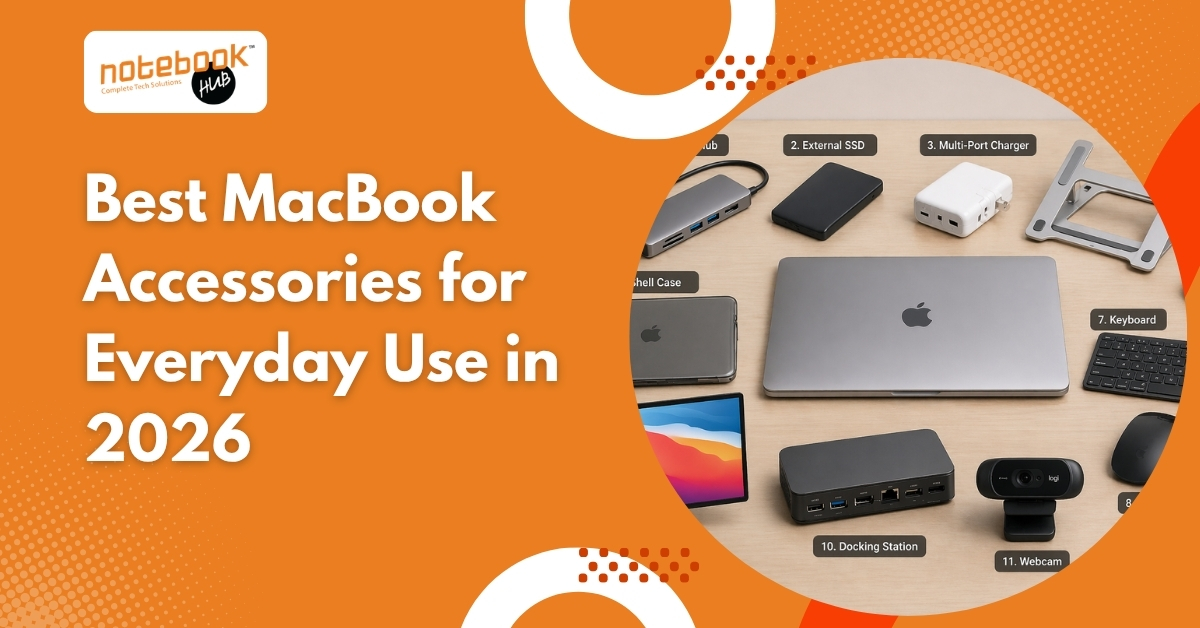
A MacBook usually feels complete the day you buy it. The display is sharp, battery life is dependable, and the overall experience feels polished enough that very little appears missing at first. That changes once the device becomes part of everyday work. Connecting external storage, managing multiple devices, carrying it daily, or spending long hours at a desk quickly reveal a few practical gaps that only become noticeable with regular use.
That is where the right accessories begin to matter. Some solve the limitations of minimal ports, some improve comfort during long work sessions, and some simply help protect a device that most users rely on every day. The best MacBook accessories are not about adding more around the laptop. They are about making daily use smoother in ways that become obvious only after the MacBook settles into your routine
Where the MacBook Starts Feeling Limited in Everyday Use?
1. USB-C Hub: Why Port Expansion Still Sits at the Top of Every MacBook Setup
A MacBook’s minimal port layout looks clean, but practical work often needs more flexibility than the device offers on its own. Connecting an external display, reading memory cards, attaching storage, or using older accessories usually leads to one immediate requirement: a USB-C hub.
A reliable hub quickly becomes useful because it allows one connection to manage several daily tasks:
- HDMI for monitors and presentations
- USB-A for existing drives and accessories
- SD card support for quick file transfer
- pass-through charging while working
For many users, this is the first accessory that makes everyday MacBook use noticeably easier.
2. External SSD: Storage Feels Fine Until Larger Files Become Part of Your Routine
Internal storage often feels sufficient in the beginning, but once project folders, media files, offline documents, and backups begin to accumulate, space disappears faster than expected.
That is why external SSDs remain one of the smartest long-term accessories for MacBook users. They make it easier to manage larger files without relying entirely on expensive internal upgrades.
They are especially useful for:
- photo libraries
- video projects
- archived work
- presentations
- backup folders
The practical benefit is simple: the MacBook stays lighter internally while larger files remain accessible when needed.
3. Multi-Port Charger: One Charger Often Ends Up Replacing an Entire Travel Setup
A better charger matters even more when charging habits become part of a daily routine, especially since long-term battery care depends on using appropriate power support and charging behaviour. Apple also explains how battery performance changes over time through its Mac battery health guidance.
A compact high-output charger simplifies this because one unit can usually handle:
- MacBook
- iPhone
- AirPods
- iPad
This becomes especially useful for travel, where fewer cables make a noticeable difference.
The Accessories That Change Long Work Sessions the Most
4. Laptop Stand: Why It Becomes Useful Sooner Than Expected
A MacBook works well on a desk, but the screen naturally sits lower than ideal for long hours. Over time, that creates a posture issue that many users only notice after regular daily use.
A stand lifts the display closer to eye level and improves airflow under the device, making long writing sessions, editing work, and meetings more comfortable.
5. External Keyboard: Why Desk Work Feels Better Once the Screen Is Elevated
Once the screen is elevated, typing directly on the built-in keyboard becomes less practical.
An external keyboard improves hand position and creates a more natural desk setup, especially for users who spend several hours writing, editing, coding, or managing documents.
6. Wireless Mouse: Why Precision Work Still Feels Better Beyond the Trackpad
The MacBook trackpad remains excellent, but certain tasks still become easier with a dedicated mouse.
This becomes obvious during:
- spreadsheet navigation
- design adjustments
- presentation editing
- detailed file organisation
For users who work full days on a MacBook, this often improves comfort more than expected.
Protection Choices Matter More With a Device You Carry Every Day
7. Sleeve: Why It Still Offers the Most Practical Everyday Protection
MacBooks are slim enough to carry easily, but that also means they are more exposed to scratches, pressure, and contact inside bags.
A sleeve remains one of the most practical protection choices because it protects during transport without affecting how the laptop feels during use.
8. Skin: Surface Protection Without Changing the Original Feel
For users who want protection without visible bulk, a skin helps preserve the aluminum body from scratches, fingerprints, and desk wear while keeping the MacBook’s original profile intact.
9. Hard Shell Case: When Constant Surface Protection Makes More Sense
A hard shell case protects the body while the MacBook is being used, which helps if the laptop is regularly moved across desks or shared workspaces.
The main advantage is constant body coverage, provided the case remains lightweight.
When a MacBook Starts Feeling Like a Complete Workstation?
10. External Monitor: Why More Screen Space Changes How You Work
A MacBook display is excellent, but once several tasks need attention together, the screen size becomes limiting.
An external monitor helps immediately with:
- side-by-side writing and research
- spreadsheet work
- editing timelines
- meetings with active notes
For many users, this is the accessory that changes the MacBook from a laptop into a full desk setup.
11. Docking Station: Why One-Cable Setup Feels Instantly Better
As accessories increase, reconnecting everything separately starts to feel repetitive.
A docking station allows one cable to handle charging, display output, storage, and connected accessories together, which makes moving between desk use and portability much cleaner.
Final Thoughts
A MacBook rarely needs many accessories at once, but the right ones become valuable because they solve the exact points where everyday use starts feeling less smooth.
Better connectivity, smarter storage, practical protection, and improved comfort all matter because they remove small interruptions that repeat over time. The strongest setups are rarely built around buying more. They are built around understanding which accessories quietly make the MacBook easier to use every day.
That is what makes a good MacBook accessory worth buying in the first place.
Find the Right MacBook Accessories with Trusted Local Guidance
Choosing MacBook accessories is easier when you can compare options with proper guidance, rather than relying solely on online listings. Whether you are looking for everyday essentials like sleeves, hubs, and chargers or planning a more complete desk setup, exploring the best MacBook accessories in Pune from a best laptop dealer helps ensure you choose products that match your MacBook model, usage needs, and long-term expectations. Notebook Hub can help you check compatibility, current availability, and suitable options before you make a final purchase.
Disclaimer: This article is intended for general informational purposes only and reflects common accessory recommendations based on current MacBook usage trends. Product suitability may vary depending on MacBook model, user requirements, and individual preferences. Notebook Hub does not guarantee the availability of every accessory mentioned in this article and is not responsible for third-party product specifications, performance, or changes made by manufacturers. As product availability may change over time, readers are advised to contact Notebook Hub directly for current stock, compatibility guidance, and product-related assistance before making a purchase.