


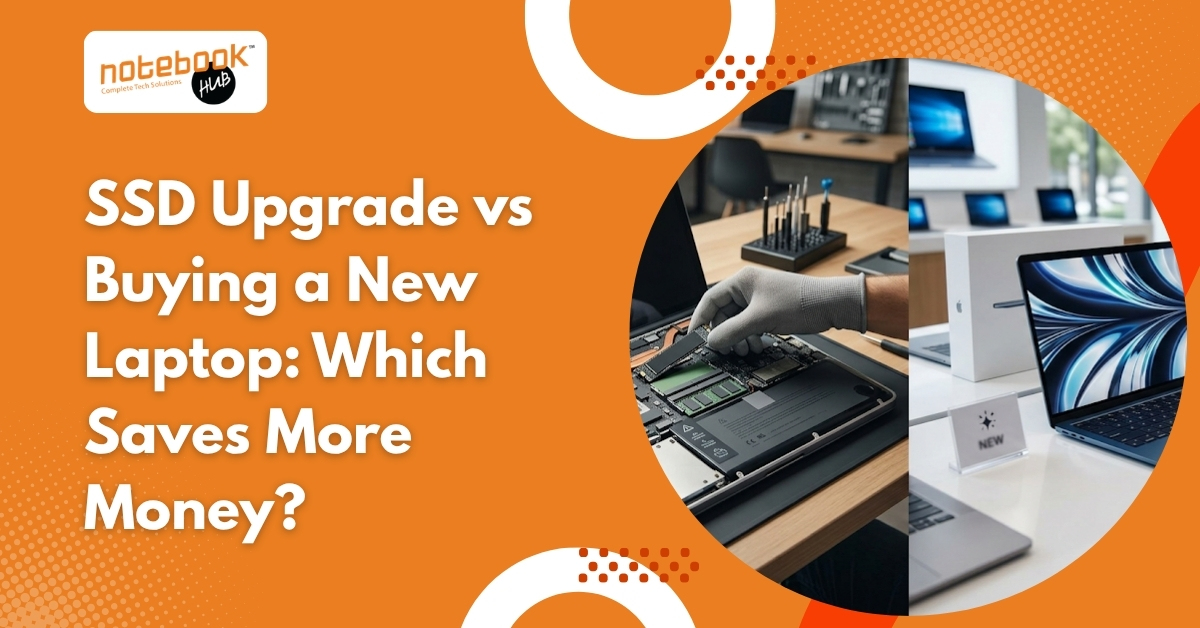
If your laptop has become slow, an SSD upgrade usually saves more money than buying a new laptop, especially when the processor, screen, and motherboard are still working properly. A new laptop becomes a better investment only when your device has repeated hardware issues, outdated performance limits, or cannot support your current work needs.
Many users replace laptops too early because slow performance feels like a major hardware failure. In reality, storage speed is often the main reason older laptops struggle. Before spending on a new machine, it is important to understand where your current laptop stands and what kind of improvement you can realistically expect.
Why Do Older Laptops Become Slow Even When They Still Work?
Older laptops often become slow because traditional hard drives cannot keep up with modern software demands. Even if the processor still works well, slow storage affects startup time, software loading, file access, and multitasking performance.
A traditional hard disk drive reads data mechanically, which means every task takes longer compared to modern solid-state storage. As systems get older, operating systems like Windows 11 and updated applications demand faster data access, making older storage feel even slower.
Common signs that storage is causing slow performance:
- The laptop takes several minutes to start
- Browser tabs load slowly
- Software opens with a delay
- Files copy slowly
- System hangs during updates
In many cases, users assume the laptop is outdated, while the actual problem is simply that the hard drive has become the weakest part of the system.
What Difference Does an SSD Upgrade Make in Daily Use?
An SSD upgrade improves laptop speed by replacing slow mechanical storage with faster electronic storage. This reduces boot time, improves software response, and makes everyday tasks feel much smoother.
SSD stands for Solid State Drive. Unlike older hard drives, SSDs have no moving parts, so data is accessed much faster. Brands such as Samsung and Western Digital have made SSD technology common even for everyday laptop users.
After the SSD upgrade, most users notice:
- Startup time drops significantly
- Applications open faster
- File transfers become smoother
- Multitasking improves
- System freezes reduce
For someone using a laptop for office work, study, billing, browsing, or video meetings, the difference can feel immediate.
This is why many users say their laptop feels new again after storage replacement.
How Much Does an SSD Upgrade Cost Compared to Buying a New Laptop?
An SSD upgrade costs far less than buying a new laptop because only one major component is replaced instead of the entire machine.
Buying a new laptop includes not only hardware cost but also setup effort, software installation, and file migration. Even entry-level new laptops cost much more than upgrading storage in an existing device.
Buying a new laptop usually includes:
- Cost of the laptop itself
- Software setup
- File transfer
- New accessories if required
- Reinstalling work applications
SSD upgrade usually includes:
- SSD cost based on storage size
- Installation charges
- Optional data migration
If the laptop is otherwise stable, upgrading storage usually gives the highest performance gain for the lowest investment.
You may like to read: SSD vs HDD: Which One Should You Pick for Your Next Laptop?
When Does an SSD Upgrade Save More Money?
SSD upgrade saves more money when the current laptop still has healthy core hardware, and your work does not require heavy modern performance.
A laptop under five years old often still has usable processing power, especially if it uses processors from Intel or AMD that support daily productivity tasks well.
SSD upgrade is usually the better choice if:
- The laptop starts slowly, but works normally after loading
- The screen and keyboard are in good condition
- The battery still gives usable backup
- The processor handles your regular work
- No major repair history exists
For students, office users, home users, and freelancers, an SSD upgrade often extends laptop life by two to three years.
This makes it one of the most cost-effective upgrade decisions.
When Is Buying a New Laptop the Better Financial Decision?
Buying a new laptop becomes smarter when multiple hardware issues exist, or your work needs more performance than the current machine can provide.
Sometimes a storage upgrade improves speed, but the laptop still struggles because the processor is too old, RAM is limited, or hardware reliability has declined.
Buying new makes more sense when:
- Laptop overheats frequently
- Battery backup is poor
- Charging issues occur often
- The motherboard has a repair history
- Current work includes editing, coding, or heavy multitasking
A machine with repeated faults can create ongoing repair costs that eventually exceed practical upgrade value.
In that case, replacement becomes more economical over time.
Can SSD and RAM Upgrade Together Delay Buying a New Laptop?
Yes, combining SSD and RAM often delivers much stronger performance than SSD alone and can delay buying a new laptop.
RAM affects multitasking, while SSD improves storage speed. Together, they solve two major causes of poor laptop performance.
SSD + RAM combination helps with:
- Better browser performance
- Faster office software response
- Smooth online meetings
- Improved multitasking
- Stable day-to-day productivity
This combination is often ideal for users who do not need advanced graphics or high processing power.
Before replacing your device, checking laptop upgrade services, RAM upgrade options, or SSD installation support can help identify whether this middle option is enough.
What Hidden Costs Should You Consider Before Buying a New Laptop?
A new laptop includes hidden costs that many buyers overlook beyond the purchase price.
Moving to a new device means setting up your working environment again. This takes time and sometimes interrupts daily work.
Hidden effort in replacing a laptop includes:
- Reinstalling licensed software
- Moving files manually
- Configuring printers and accounts
- Adjusting to a new keyboard layout
- Recovering saved settings
With an upgrade, your existing system remains familiar.
That saves both time and productivity.
How Do You Decide Which Option Is Right for Your Laptop?
The right decision depends on hardware condition, future usage, and whether the upgrade investment still makes practical sense.
A technical check helps avoid unnecessary spending because not every slow laptop needs replacement.
Before deciding, check:
- Laptop age
- Processor generation
- RAM capacity
- Battery health
- Repair history
- Usage requirement for the next 2 years
A proper diagnosis often reveals whether a simple upgrade can still deliver value.
Upgrade, Repair, or Buy New — Choose the Right Laptop Solution with Notebook Hub
Not every slow laptop needs replacement, and not every old device needs an upgrade. At Notebook Hub, you can first understand what makes more financial sense for your device before spending unnecessarily. If your laptop still has good hardware, our repair services and performance upgrades can help improve speed and extend its life.
If the device has repeated hardware issues or no longer supports your work needs, Notebook Hub also works as a trusted laptop dealer, offering reliable new laptop options for students, professionals, and everyday users. This helps you compare upgrade, repair, and replacement in one place and choose the option that fits both your usage and budget.
Conclusion
An SSD upgrade is often the more affordable choice when your laptop still has healthy hardware and only needs better speed for everyday use. But if the device has recurring hardware issues or cannot handle current work requirements, buying a new laptop becomes a better long-term investment. The right decision depends on your laptop’s condition, usage, and future needs.
Disclaimer: This blog is intended for informational purposes only and is designed to help readers understand common factors involved in choosing between an SSD upgrade and buying a new laptop. Actual decisions should be made carefully based on individual laptop condition, technical compatibility, usage needs, and professional assessment. Notebook Hub is not responsible for any loss, damage, or performance issues resulting from upgrade, repair, or purchase decisions made solely based on this information.